
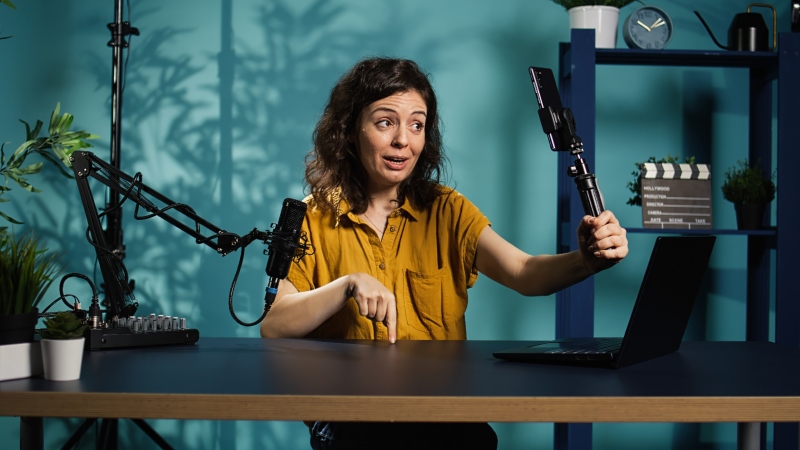
Creating a strong video takes time. You have to research the topic, plan the message, record the footage, edit it, and publish the final version. Yet many creators use all that work for a single upload and then immediately start planning the next one. A better approach is to treat every long-form video as a source of smaller content assets. With a structured repurposing process, creators can turn one recording into short clips, written posts, graphics, emails, and other useful content without repeating the entire production process.
What Does Video Content Repurposing Mean?
Video content repurposing means taking an existing video and adapting its ideas, footage, audio, or transcript into new pieces of content. The goal is not simply to repost the same file everywhere. Instead, creators reshape the original material so it works naturally on different platforms and in different formats.
For example, a 30-minute interview might contain a strong opinion, a useful explanation, a short story, and several practical tips. Each part can stand on its own. The opinion might become a short social video, while the explanation becomes an article section. The tips could become a checklist or carousel.
Key definition: Content repurposing is the process of adapting existing material into new formats or smaller assets for different audiences, platforms, or purposes.
Takeaway: One long video can act as a content library rather than a single finished asset.
How Can Creators Find the Best Moments in a Long Video?
The first step is to stop viewing a video as one continuous piece. Instead, creators should look for individual moments that deliver value without requiring viewers to watch everything that came before them.
Useful moments often include direct answers to common questions, surprising facts, memorable opinions, short stories, mistakes to avoid, demonstrations, and practical tips. A good clip usually has one clear idea. If viewers need several minutes of background information to understand it, the segment may need extra editing or may work better as written content.
A transcript can make this process much faster. Creators can scan the text and highlight sentences that contain a complete insight. Timestamps can then help locate those moments in the original footage.
When reviewing a video, ask:
- Does this moment make sense by itself?
- Does the opening create curiosity?
- Is there one clear lesson or idea?
- Can unnecessary pauses or context be removed?
- Would someone find this useful without seeing the full video?
This approach also helps creators avoid clipping only the most dramatic moments. A practical explanation that solves a real problem can be more useful than an isolated attention-grabbing quote.
Takeaway: The best clips are self-contained moments that quickly deliver one useful idea, answer, story, or insight.
How Can a Video Clipper Speed Up the Repurposing Process?
A video clipper helps creators extract shorter segments from longer recordings. Instead of rebuilding every short video from scratch, creators can identify useful sections, trim them, and prepare them for individual distribution.
The biggest benefit is workflow efficiency. Consider a one-hour podcast. Manually watching the full recording several times, noting timestamps, cutting each segment, resizing footage, and preparing captions can turn repurposing into another large editing project. A clipping workflow reduces that repetitive work.
However, speed should not replace editorial judgement. Automated tools can identify possible highlights, but creators still need to decide whether a clip has enough context, starts at the right point, and ends with a complete thought. A technically clean clip can still perform poorly if the viewer does not understand why the topic matters.
Creators should review every extracted segment for three things: context, clarity, and purpose. The clip should tell viewers what they need to know without making them search for missing information.
Takeaway: A video clipper can reduce repetitive editing, but human review remains important for choosing clips that make sense and provide real value.
How Should Creators Adapt Clips for Different Platforms?
A common repurposing mistake is publishing exactly the same edit everywhere. The core idea can remain the same, but the presentation should reflect how people consume content on each platform.
Vertical video is useful for mobile-first short-form platforms. Wider footage may work better for traditional video pages or embedded website content. Captions also matter because viewers may encounter a clip without sound. The text should be readable and should support the message rather than cover important visual details.
The opening deserves special attention. Long videos have room for introductions, but short clips usually need to reach the subject faster. Removing greetings, repeated questions, or long setup can make the segment more direct.
Creators can also change the supporting copy. A clip about three common design mistakes, for instance, might use a short caption on one social platform and a more detailed professional explanation on another. The footage is reused, but the context changes.
According to YouTube’s guidance for Shorts, Shorts are designed around short-form viewing experiences. Creators should therefore consider format and viewing behavior rather than assuming a long-form edit will translate directly.
Takeaway: Repurpose the idea consistently, but adapt the format, opening, captions, and supporting copy to the platform where it will appear.
What Other Content Can Creators Produce From One Video?
Video clips are only one part of the opportunity. A useful long-form recording contains ideas that can move into several other formats.
A tutorial, webinar, podcast, or interview can become:
- Short-form videos: Extract individual lessons, answers, demonstrations, or stories.
- Blog posts: Turn the transcript into an organised article and add context, examples, sources, and updated information.
- Social posts: Convert memorable insights into short text posts or discussion prompts.
- Carousels: Break a step-by-step explanation into visual slides.
- Email content: Use one useful lesson as the basis of a newsletter.
- Quote graphics: Pull concise statements that remain meaningful outside the original conversation.
- FAQ content: Turn questions discussed in the video into direct written answers.
- Website resources: Expand evergreen explanations into guides or knowledge-base content.
The key is transformation rather than duplication. Raw transcripts often contain filler words, repetition, and conversational phrasing. Publishing them unchanged rarely creates the best reading experience. Written content should be reorganized for readers, while visual content should be designed for quick understanding.
This process can also strengthen a creator’s content archive. Instead of relying only on the short lifespan of a social post, useful ideas can live in searchable articles, newsletters, and evergreen resources.
Takeaway: A video is not limited to video output. Its ideas can support written, visual, social, and educational content.
How Can Creators Build a Repeatable Repurposing Workflow?
Repurposing works best when it becomes part of production rather than an extra task added after publishing. Creators can plan for reusable moments before they even start recording.
For example, an interview host can ask concise questions that encourage complete answers. An educator can divide a tutorial into clear chapters. A solo creator can intentionally summarise major points in one or two sentences during the recording. These choices make useful segments easier to identify later.
A practical workflow looks like this:
- Record one detailed long-form video around a focused topic.
- Create or review the transcript.
- Highlight complete insights, stories, answers, and practical tips.
- Mark timestamps for the strongest moments.
- Extract several short clips.
- Add captions and adjust the format where necessary.
- Turn major ideas into written or visual assets.
- Schedule the assets across an appropriate period.
- Track which topics and formats generate useful engagement.
- Apply those findings to the next recording.
Creators should also maintain a simple content library. Each original video can have a folder or database entry containing the full recording, transcript, clips, graphics, written drafts, publication dates, and topic tags.
This prevents good material from disappearing into old project folders. It also makes it easier to revisit evergreen content months later.
Takeaway: A repeatable system turns repurposing from occasional extra work into a predictable part of content production.
How Can Creators Avoid Making Repurposed Content Feel Repetitive?
Repurposing does not mean showing followers the same message in exactly the same way five times. Creators can use one source while changing the angle for each asset.
Suppose a creator records a video called “Five Ways to Improve a Home Office.” One clip could focus on lighting. Another could explain desk placement. A written post could combine all five ideas into a checklist. A carousel might show before-and-after examples. An email could focus only on the cheapest improvement.
All of these assets come from the same source, but each gives the audience a different entry point.
Creators should also space related assets instead of publishing every version on the same day. A content calendar helps distribute them naturally. It can also reveal gaps, such as too many promotional posts and too few educational ones.
Google’s guidance on creating helpful, reliable, people-first content emphasizes content made primarily to benefit people. That principle is useful for repurposing too. A new format should provide a useful experience rather than exist only to increase publishing volume.
Takeaway: Repurposed content feels fresh when each asset offers a distinct angle, format, or level of detail.
How Should Creators Measure Whether Repurposing Works?
Publishing more assets does not automatically mean a repurposing strategy is successful. Creators need to connect output with useful results.
Metrics should match the purpose of each asset. For short clips, creators might examine watch time, completion rate, shares, saves, or meaningful comments. For articles, relevant measures can include organic visits, engaged reading, search visibility, and clicks to related resources. Newsletter content can be assessed through clicks, replies, and subscriber behavior.
Creators should look for patterns rather than judging one post in isolation. If clips based on direct questions consistently hold attention longer than general commentary, future videos can include more clear question-and-answer moments. If detailed tutorials produce useful search traffic, creators can invest more effort in turning those recordings into written guides.
Measurement creates a feedback loop. The performance of repurposed content can influence the way future source videos are planned and recorded.
Takeaway: Measure each format according to its purpose, then use recurring patterns to improve future videos and repurposing decisions.
What Mistakes Reduce the Value of Video Repurposing?
The first mistake is choosing quantity over usefulness. Ten weak clips are not necessarily more valuable than three strong ones. Every asset should have a clear reason to exist.
Another common problem is missing context. A sentence pulled from the middle of a conversation may sound confusing or even change the speaker’s intended meaning. Editors should watch enough footage before and after the selected segment to understand the full statement.
Creators should also avoid relying entirely on automation. Tools can accelerate transcription, clipping, captioning, and formatting, but they do not fully understand every audience or editorial goal. Final review matters for accuracy, tone, pacing, and context.
Finally, creators should check older material before republishing it. Statistics, recommendations, platform features, and links can become outdated. Evergreen does not mean permanently accurate.
Takeaway: Strong repurposing prioritizes usefulness, context, accuracy, and editorial review over sheer publishing volume.
Frequently Asked Questions
How many clips can creators get from one long video?
There is no fixed number. A focused 30-minute video may contain several useful standalone segments, while another recording of the same length may only contain two or three. Choose clips based on quality rather than a target quantity.
Takeaway: Extract as many clips as remain useful and understandable on their own.
Does repurposing content mean posting the same thing everywhere?
No. Effective repurposing keeps the core idea but adapts the presentation for the audience, platform, and format.
Takeaway: Reuse the insight, not necessarily the exact presentation.
Should creators edit clips manually or use automated tools?
Both approaches can work together. Automation can speed up transcription, highlight detection, captions, and basic editing, while manual review helps protect context and quality.
Takeaway: Use automation for efficiency and human judgment for the final editorial decisions.
Can old videos be repurposed?
Yes, especially when the topic remains relevant. Before reusing older footage, check facts, statistics, links, terminology, and recommendations for accuracy.
Takeaway: Old videos can become useful new assets when their information is still current.
Is video repurposing useful for small creators?
Yes. Small creators often have limited production time, so extracting more useful material from existing recordings can help maintain a consistent publishing schedule without requiring a new shoot for every post.
Takeaway: Repurposing helps small creators increase useful output from the production work they already do.
How Can One Video Become a Complete Content System?
The most efficient creators do not treat publishing as a one-video, one-post process. They build source content with multiple uses in mind. A detailed recording can supply short clips, articles, newsletters, social posts, FAQs, graphics, and future topic ideas.
The goal is not to flood every channel with recycled material. It is to capture the full value of ideas that have already required research, planning, and production. Start with strong source material, identify self-contained moments, adapt each asset to its destination, and measure what audiences find useful.
With that system in place, creators can spend less time constantly starting from zero and more time developing ideas worth sharing.
Takeaway: Treat every strong video as a source library. Extract its best ideas, adapt them for each format, and use performance data to guide what you create next.